DebitMyData PoW
DebitMyData (DMD) is a Proof-of-Work blockchain designed with a long-term vision in mind: to ensure that future generations of miners retain the ability to meaningfully participate in network security and block production.
Unlike many blockchains that permanently exhaust their block rewards, DebitMyData introduces a cyclical monetary model where the block reward restarts once the maximum supply is reached, rather than ending mining incentives altogether.
This approach preserves Proof-of-Work as a living system instead of a finite race that only benefits early adopters.
Part of the DebitMyData Ecosystem
DebitMyData PoW is part of the broader DebitMyData ecosystem, an initiative exploring decentralized technologies, digital identity, artificial intelligence, and the emerging Agentic Economy.
While the DMD blockchain operates as an independent Proof-of-Work network, its long-term vision extends beyond mining and cryptocurrency transactions. DMD is being developed as a potential native payment and settlement layer for autonomous agents, AI-powered applications, and decentralized services.
Through the planned DebitMyData Agent Gateway, autonomous agents, agentic bots, and other authorized applications could interact with blockchain-based payments, decentralized identities (DIDs), and digital services through secure APIs and interoperable payment protocols.
This integration is part of the project's development roadmap and does not imply that all planned services are currently operational.
Learn more about the broader DebitMyData project and its vision at DebitMyData.com
Whitepaper
More information about DebitMyData PoW can be found in the official Whitepaper HERE.
Development Roadmap
✓ Mainnet Launch: SHA-256 Proof-of-Work blockchain with 150-second block intervals
✓ Public Mining Pool: Deployment of dedicated SHA-256 mining infrastructure
✓ BIP324 v2 Transport: Support for encrypted peer-to-peer node communication
✓ Electrum Integration: Light wallet support with decentralized Electrum server infrastructure
✓ Non-Custodial Web Wallet: Secure browser-based wallet with full user control over private keys
✓ Android Wallet: Launch of non-custodial mobile wallets
○ Agent Gateway Integration: Secure connection between the DMD Proof-of-Work blockchain and the DebitMyData Agentics ecosystem
○ Native DMD Payment Gateway: Enable autonomous agents, AI systems, and applications to pay for services directly using DMD
○ Agentic DID Registration: Decentralized identity registration with a fixed $25 USD commercial fee and support for approved cryptocurrency payments
○ Payment Quote & Intent API: Dynamic cryptocurrency pricing, payment requests, and transaction tracking for autonomous agents
○ MCP & API Integration: Enable agents to discover services, request payment quotes, verify transactions, and access authorized resources
○ x402 & Bazaar Integration: Support x402-compatible agentic payments and automated service discovery
○ Multi-Chain Payment Support: Expand payment compatibility to approved EVM, Solana, and additional cryptocurrency networks
○ Settlement & Identity Security: Blockchain confirmation monitoring, payment verification, wallet ownership proofs, and secure DID issuance
○ Taproot Assets: Research and implementation of multi-asset functionality on top of the DebitMyData blockchain
○ Ordinals Protocol: Native inscription support for digital artifacts and on-chain content
○ Expanded OP_RETURN: Research and evaluate data anchoring capabilities up to 100 KB for document notarization
○ Stratum v2: Advanced mining protocol support to improve mining efficiency and security
○ AssumeUTXO: Accelerated blockchain synchronization through UTXO snapshots for decentralized node onboarding
○ Lightning Network: Layer-2 payment infrastructure for near-instant, low-fee DMD transactions
○ TRUC (v3) Transactions: Enhanced transaction relay policies to improve Layer-2 channel safety and reliability
○ Miniscript Vaults: Advanced spending policies and programmable custody solutions for enhanced asset security
○ Silent Payments: Enhanced transaction privacy through reusable payment addresses
○ Erlay Protocol: More efficient transaction relay to reduce bandwidth consumption across the network
○ Post-Quantum Security & BIP360: Research, audit, and evaluate Pay-to-Merkle-Root (P2MR) integration to reduce exposure to potential quantum computing threats
○ iOS Wallet: Complete development, testing, and release of the non-custodial iOS wallet, subject to App Store approval
○ Exchange Listings: Pursue initial and additional cryptocurrency exchange listings to expand DMD market accessibility and liquidity
○ Strategic Partnerships: Develop relationships with infrastructure providers, blockchain projects, and technology partners
○ Ecosystem Grants: Support independent developers, open-source contributions, and third-party ecosystem integrations
○ Community & Adoption: Expand community participation, developer resources, documentation, and ecosystem awareness
Proof of Work
DebitMyData PoW operates similarly to Bitcoin.
To discover a new block, miners must solve a complex cryptographic challenge known as Proof of Work (PoW).
The network supports a block size of 4MB, allowing for a high volume of transactions to be verified simultaneously.
DebitMyData utilizes the SHA-256 algorithm to validate network transactions and secure the block hash.
Specs
The technical specifications for DebitMyData PoW are outlined below:
Name: DebitMyData PoWTicker: DMDRpc port: 18557P2p Port: 18556
Block maturity: 250 blocksHalving: 300 000 blocksBlock time: 150 secondesDifficulty time: LWMA-3 60 blocks
Max Supply: 21 000 000 DMDPre-mined: 0 DMDBlock Reward: 35 DMDAlgorithm: SHA256
Network stats
136 773
Block height
0.051
Network hashrate PH/s
4 787 055
Circulation supply
DebitMyData PoW Wallet
Mining with ASICS
Different Firmwares/Models
Because there are several ASICS firmwares and models, this tutorial will focus on a chosen model to display, the screenshots below are from the S19 Antminer ASIC firmware.
1 • Depending on your ASIC's model and firmware, go to the Settings or Miner Configuration page.
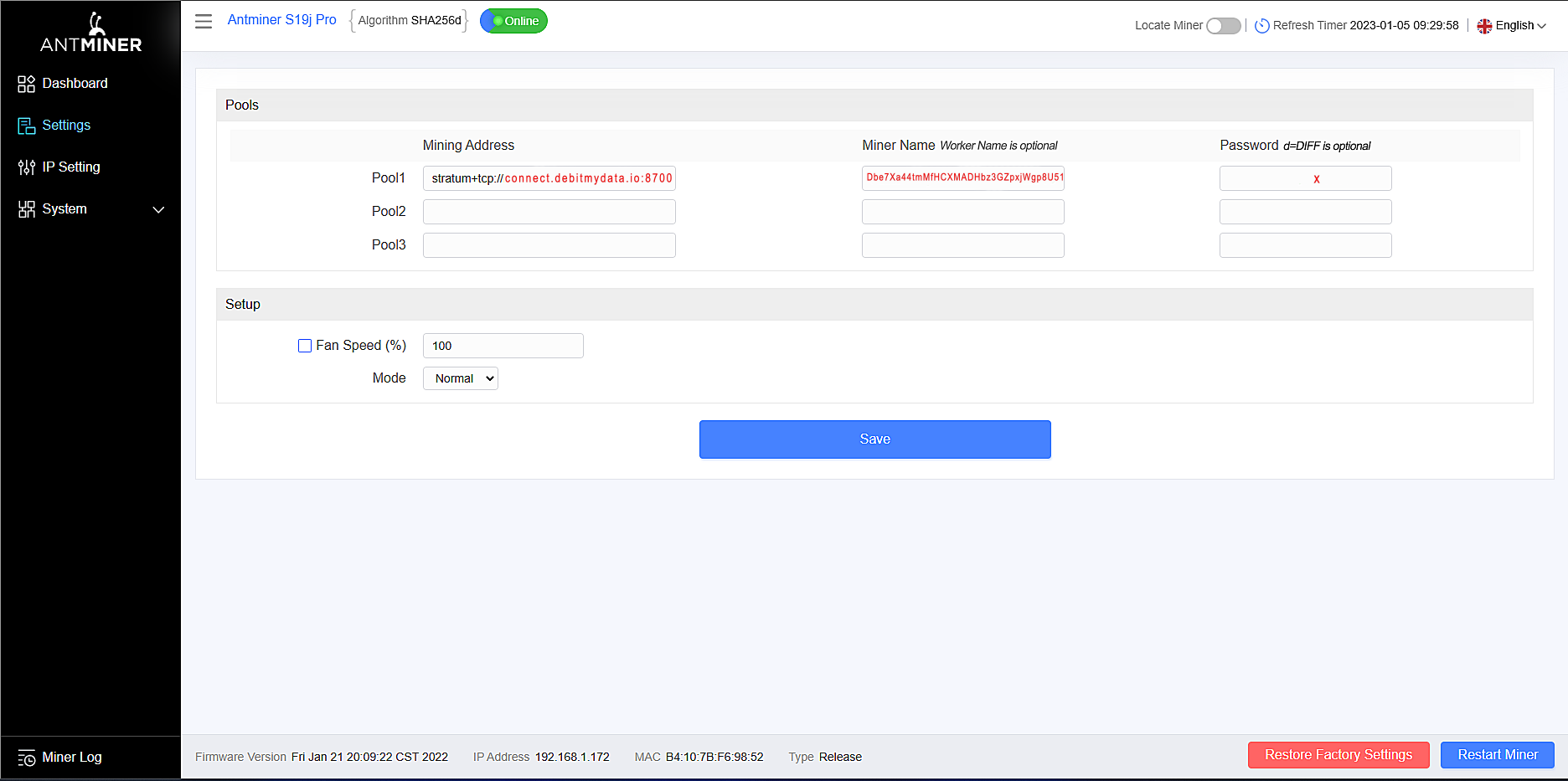
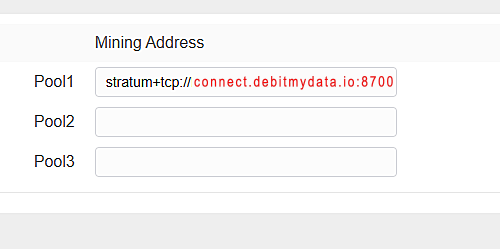
2 • At the Pool section, type in the pool's stratum address connect.debitmydata.io:8700
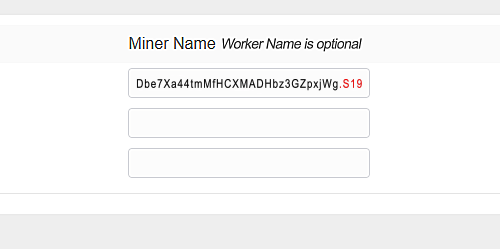
3 • At the Miner or Address section, type in your wallet address.
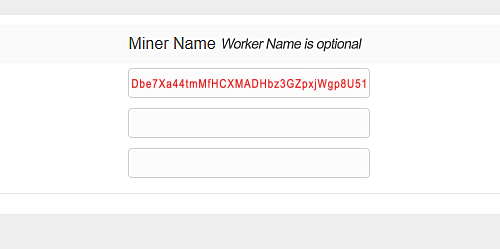
Optionally, you can mention a specific worker name (in the image below, "S19" is the worker name).
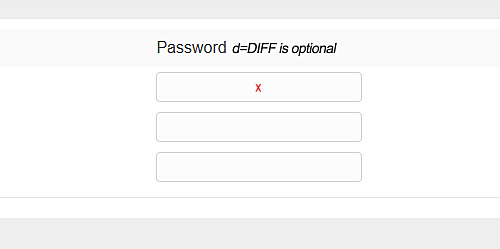
4 • At the Password and last section, type in x
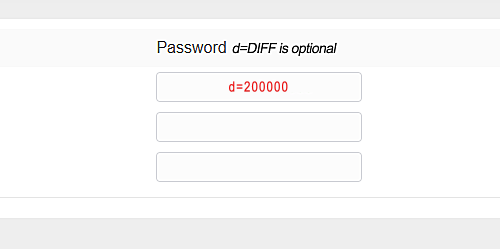
Optionally, you can choose a specific difficulty , for your ASIC to start from on the mining pool (in the image below, "200,000" is the chosen starting difficulty).
For convenience, the default starting difficulty is set to 2048. Note also that the pool is NiceHash compatible. With an ASIC rent from NiceHash the pool will automatically start your miner with the NiceHash required NiceHash 500,000 difficulty.
Your hashrate on the mining pool
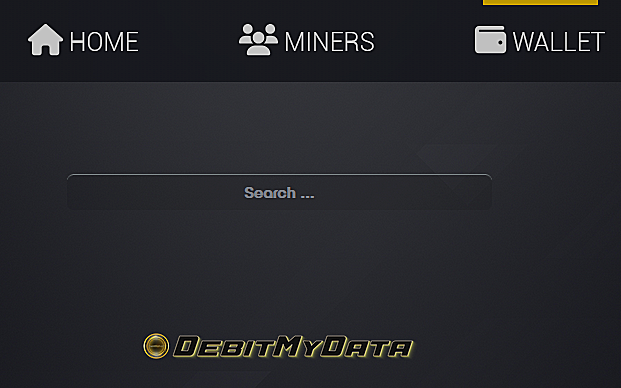
Navigate to the
You will see your hashrate displayed in the wallet page.

Rent hardware miners
We recommend the following platforms:
NiceHash is the ideal for higher hashrate at a reduced price. While MiningRigRentals is great for renting minimum hashrate possible. Both are great for their respective specifications.
Make sure to rent the hardware for the SHA-256 algorithm.

How to Rent an ASIC on MiningRigRentals
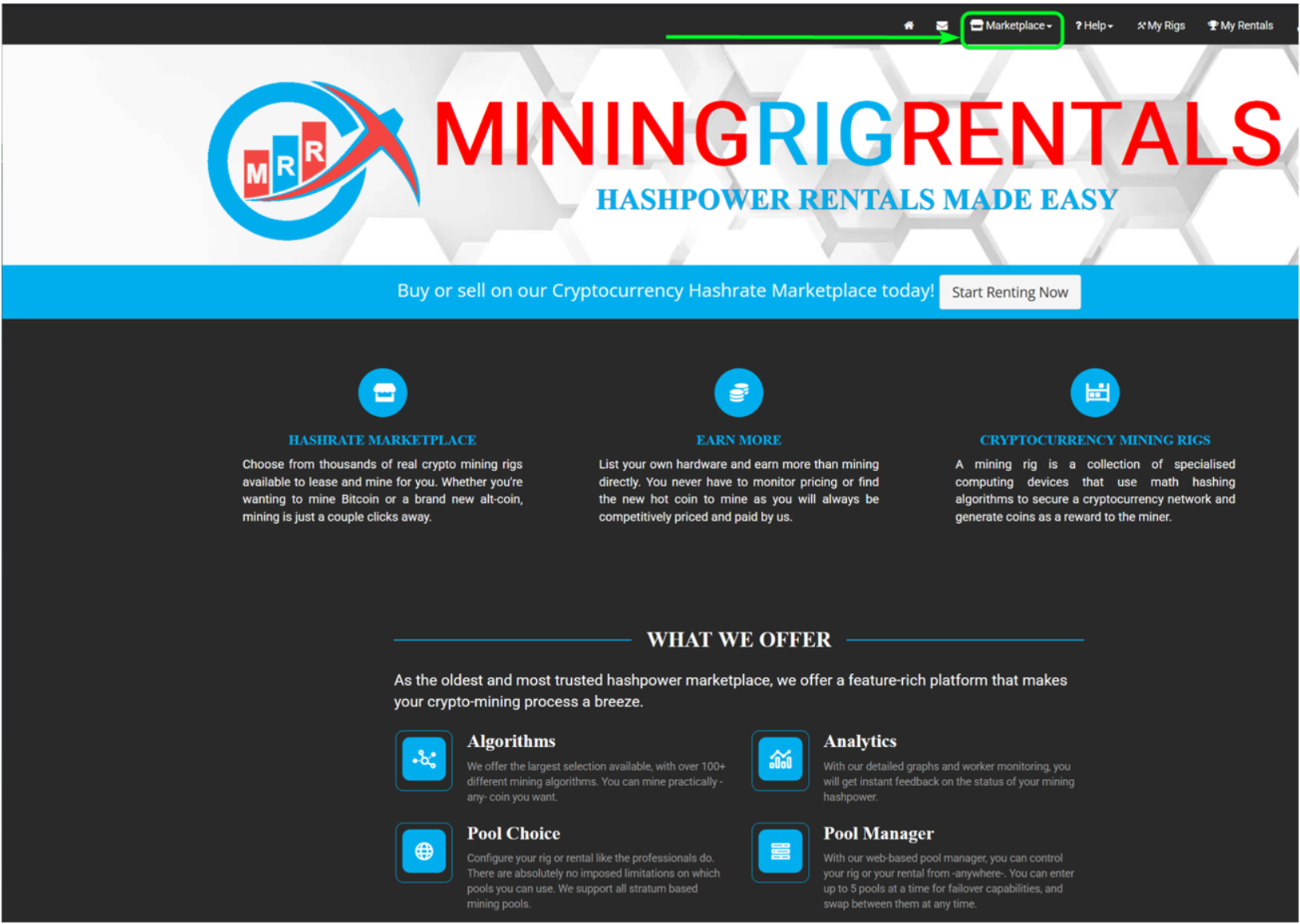
Step 1: Visit MiningRigRentals
Go to
Step 2: Log In to Your Account
Once your account is created and verified, log in using your credentials.
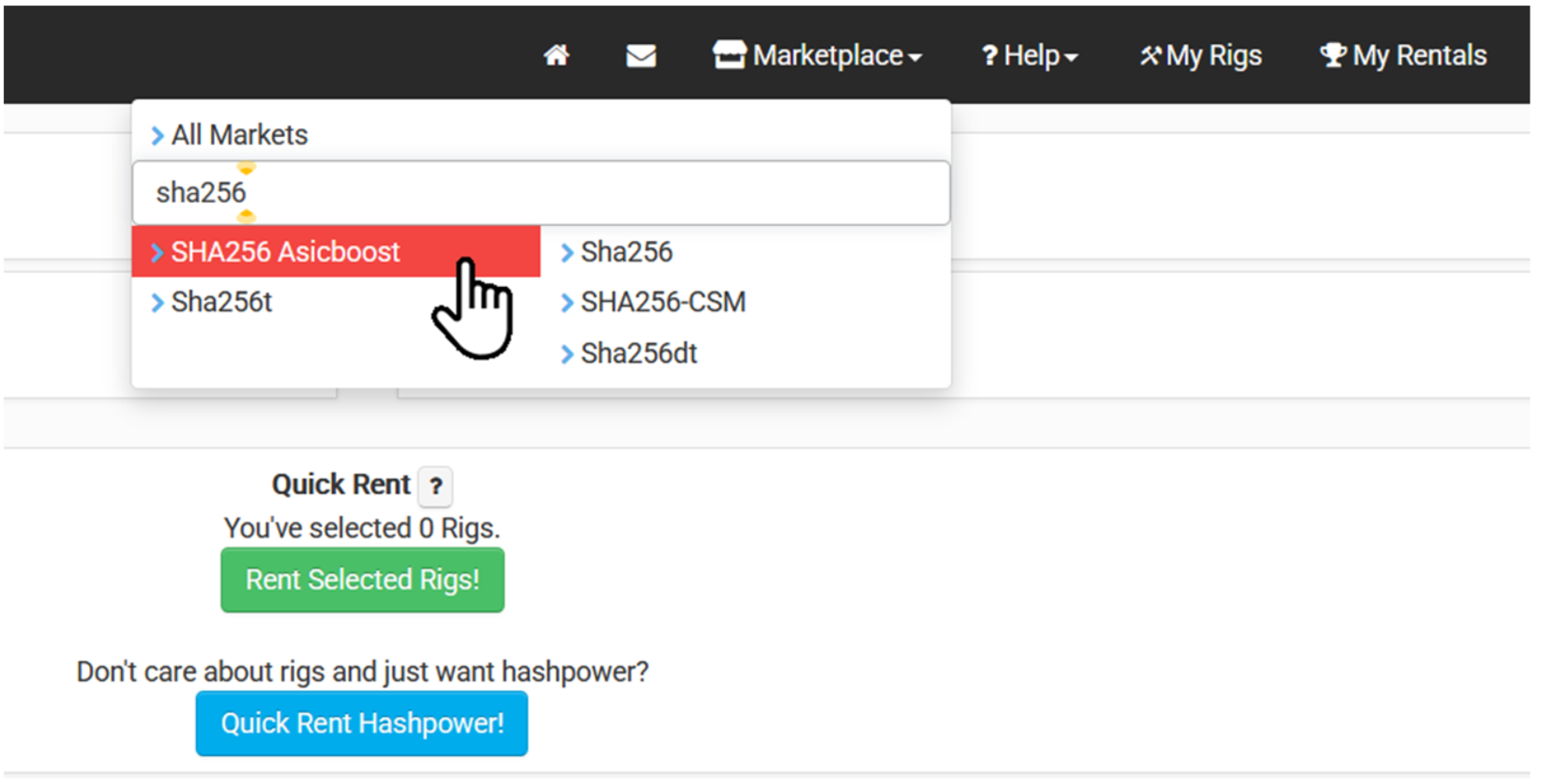
Step 3: Navigate to the 'Rent' Section
Click on 'Rent' in the main menu. This section allows you to choose an algorithm and find available rigs.
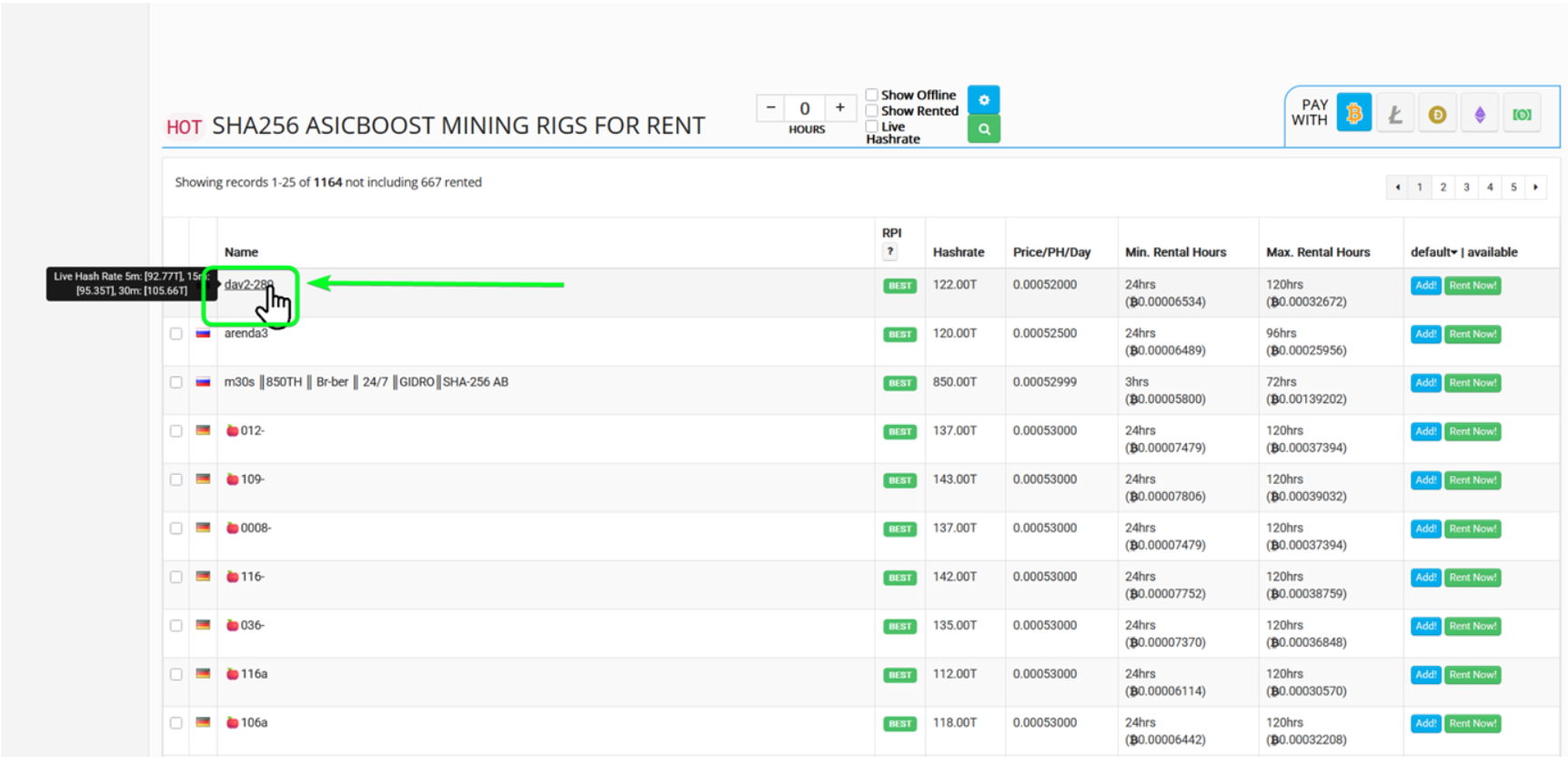
Step 4: Select SHA256 as the Algorithm
Under the algorithm filter, choose 'SHA256 ASICBoost' to filter ASIC rigs compatible with DebitMyData's mining algorithm.
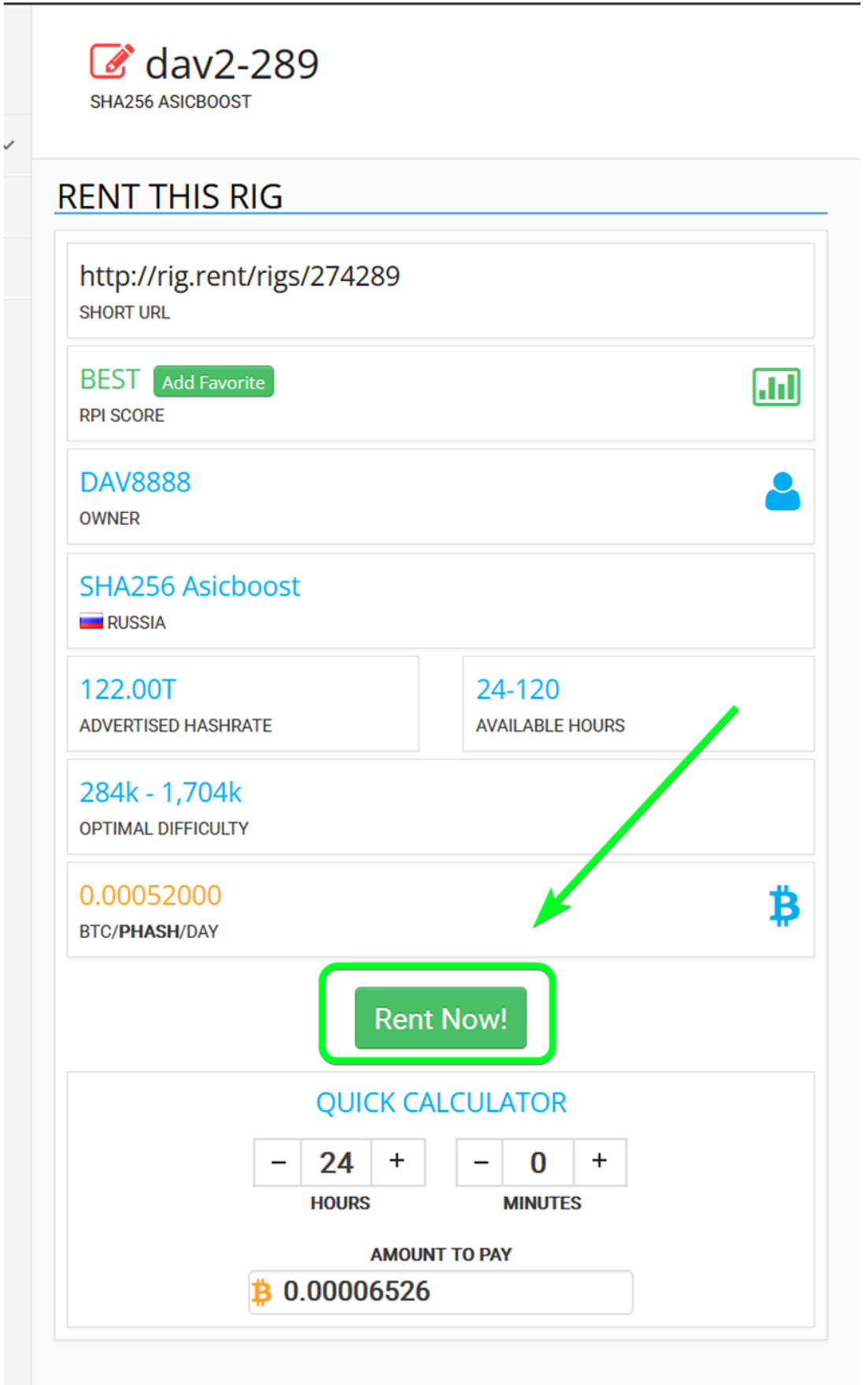
Step 5: Review Listings
Browse through the list of available ASIC rigs. You can sort by price, hash rate, and location.
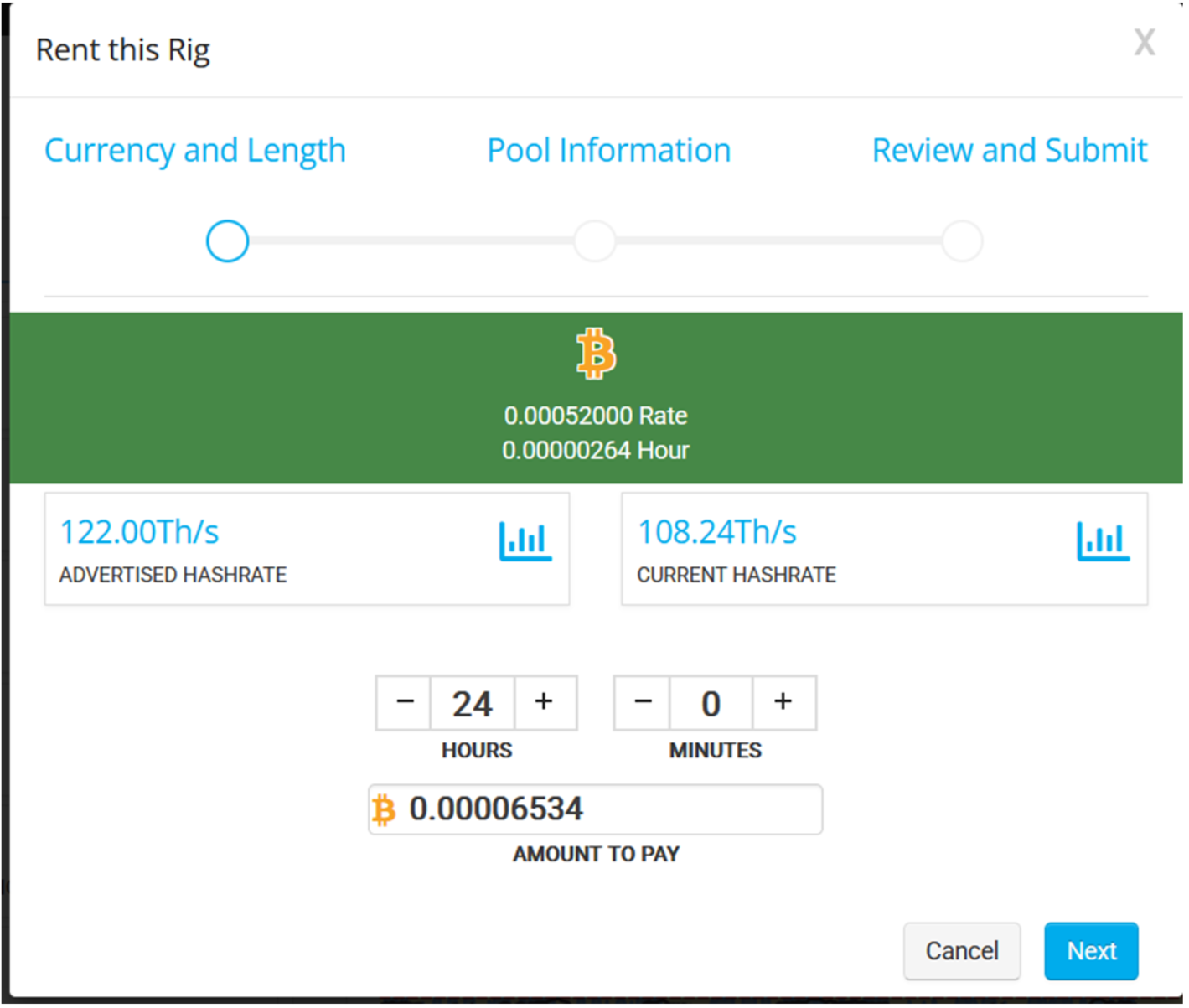
Step 6: Click 'Rent Now'
Once you find a rig, click 'Rent Now'. You'll be taken to the rig’s configuration page.
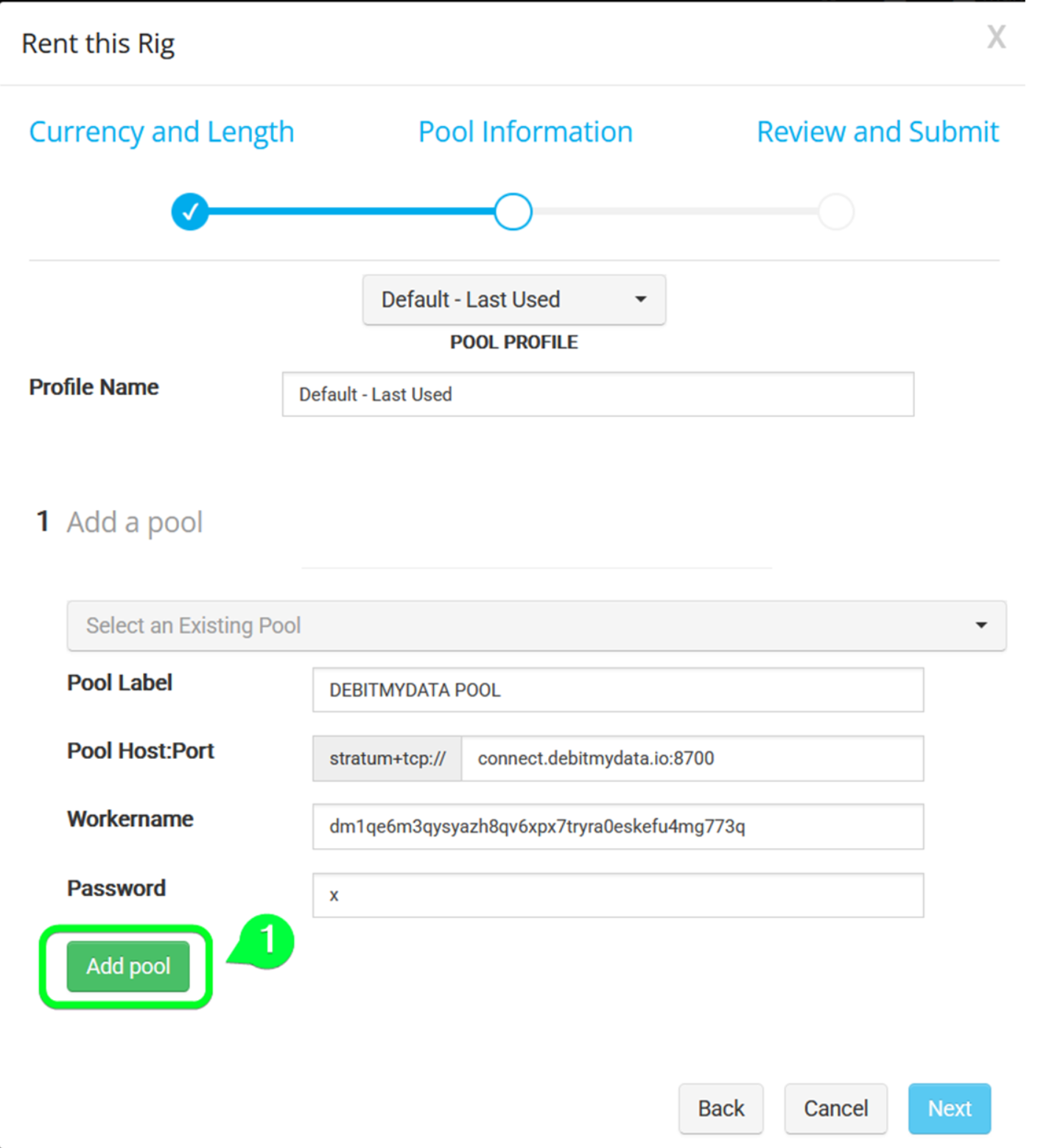
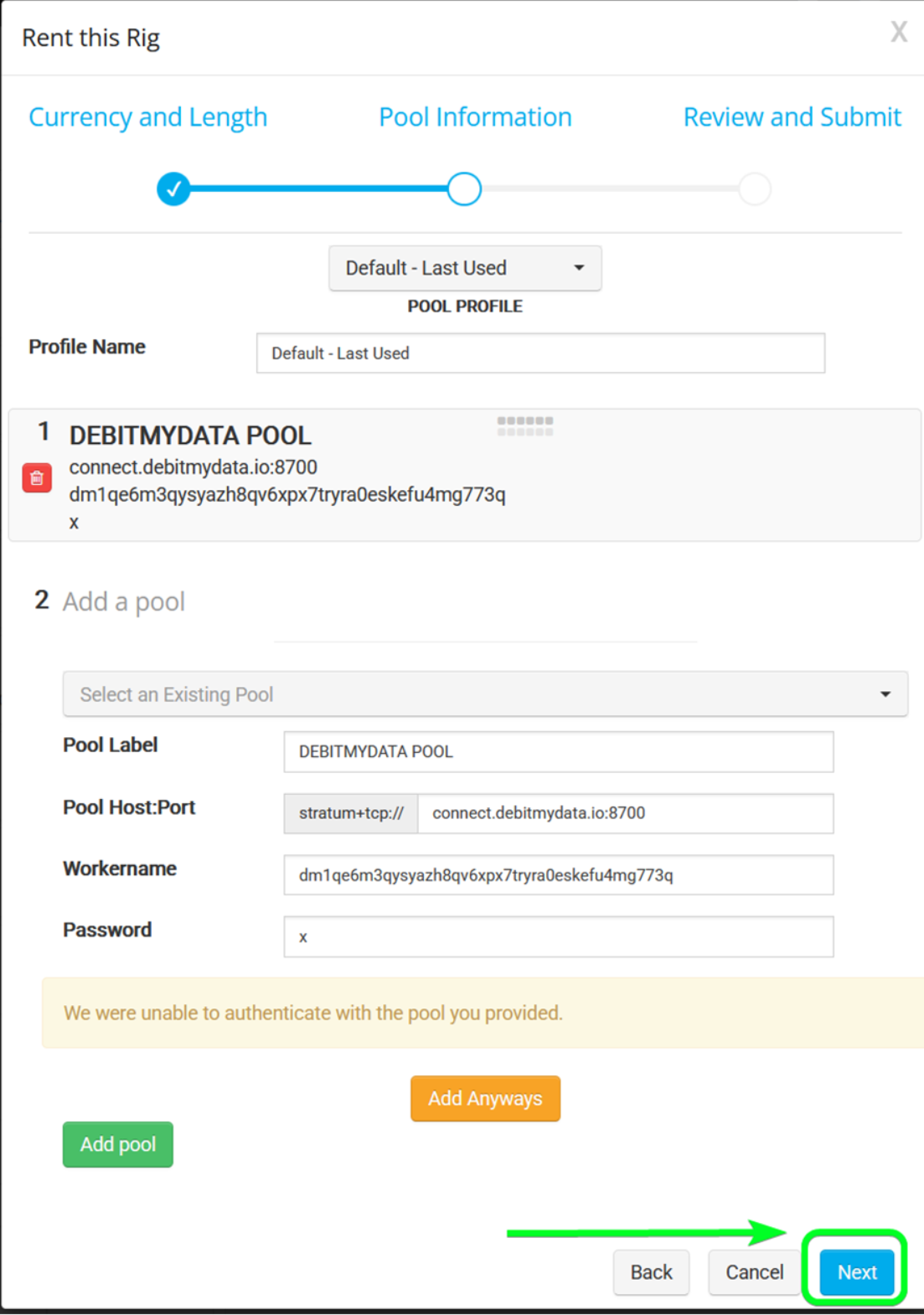
Step 7: Enter Pool Information
For the pool configuration, enter the following:
Pool URL: connect.debitmydata.io:8700
Username: YOUR WALLET ADDRESS
Password: x
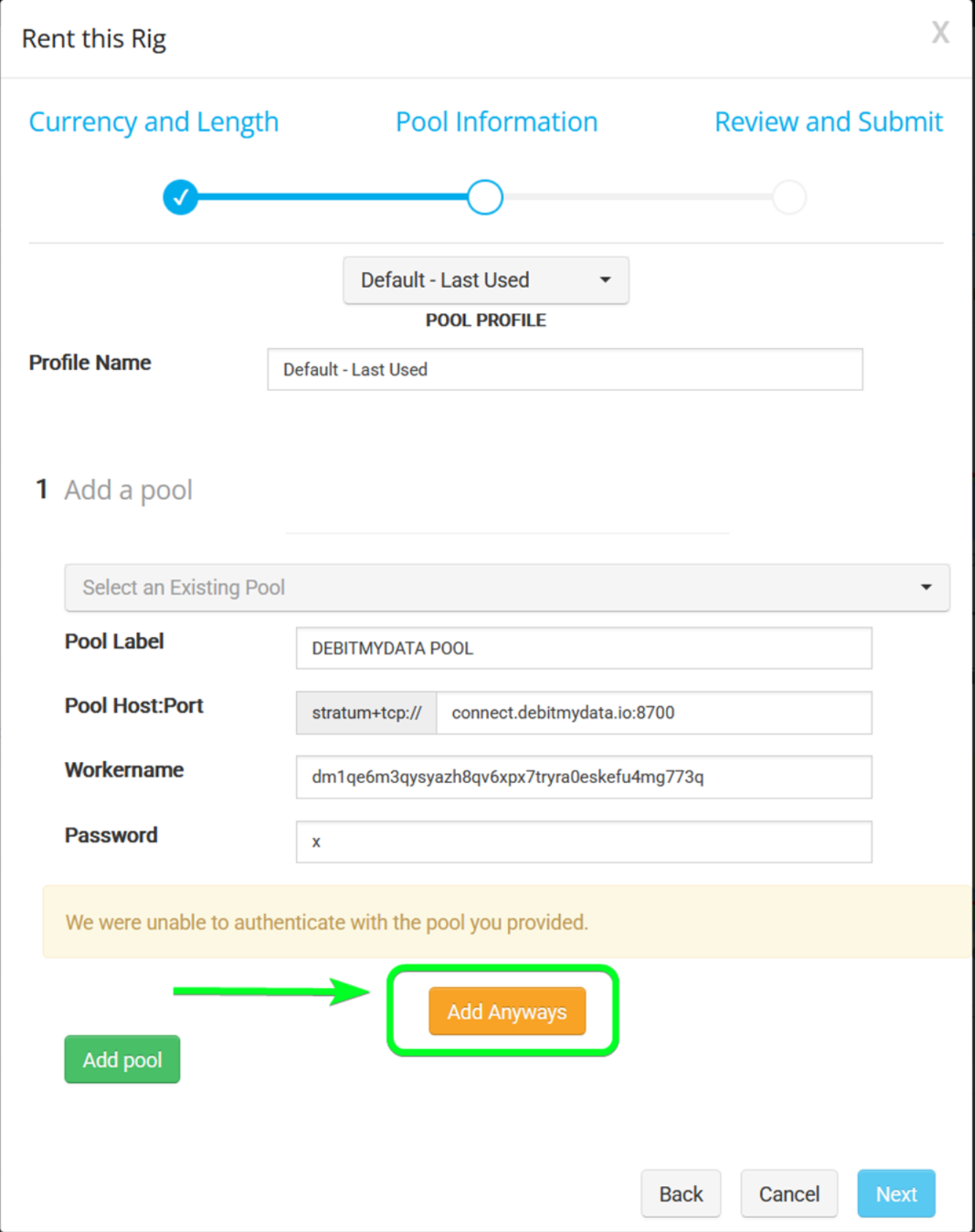
Step 8: Confirm and Pay
Double-check all information, especially your wallet address and pool URL.
Once confirmed, complete the payment using one of the supported cryptocurrencies.